
NOTHECA
- B2B learning platform
- Knowledge · Training · Verification
Turn company knowledgeinto something peoplecan actually use.
From information to capability
Notheca helps companies organize internal knowledge, turn it into structured learning, assign it to the right people and follow what has actually been completed.
Knowledge materials, training programs, exams, certificates, qualifications and reporting are connected in one system.
Visit live site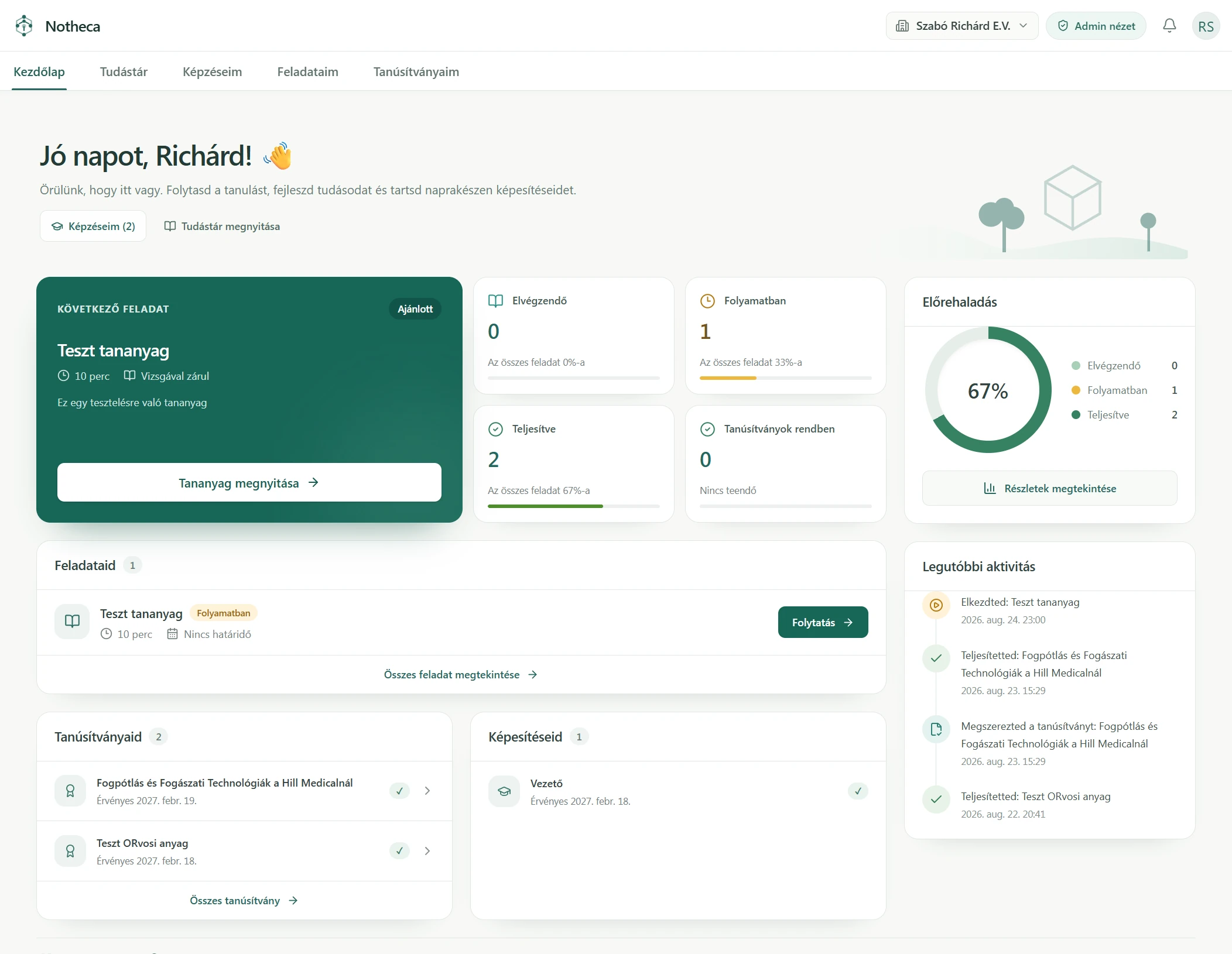
Scroll to explore / Open for full detail ↗
Product in development / Actual application screens / Test data
01 / The problem
Company knowledge shouldn’t live everywhere.
Instructions live in documents. Onboarding depends on individual managers. Training is tracked in spreadsheets. As a company grows, it becomes harder to keep knowledge consistent—or know who has completed what.
The challenge is not simply storing information. It is turning knowledge into a process people can follow.
02 / Knowledge base
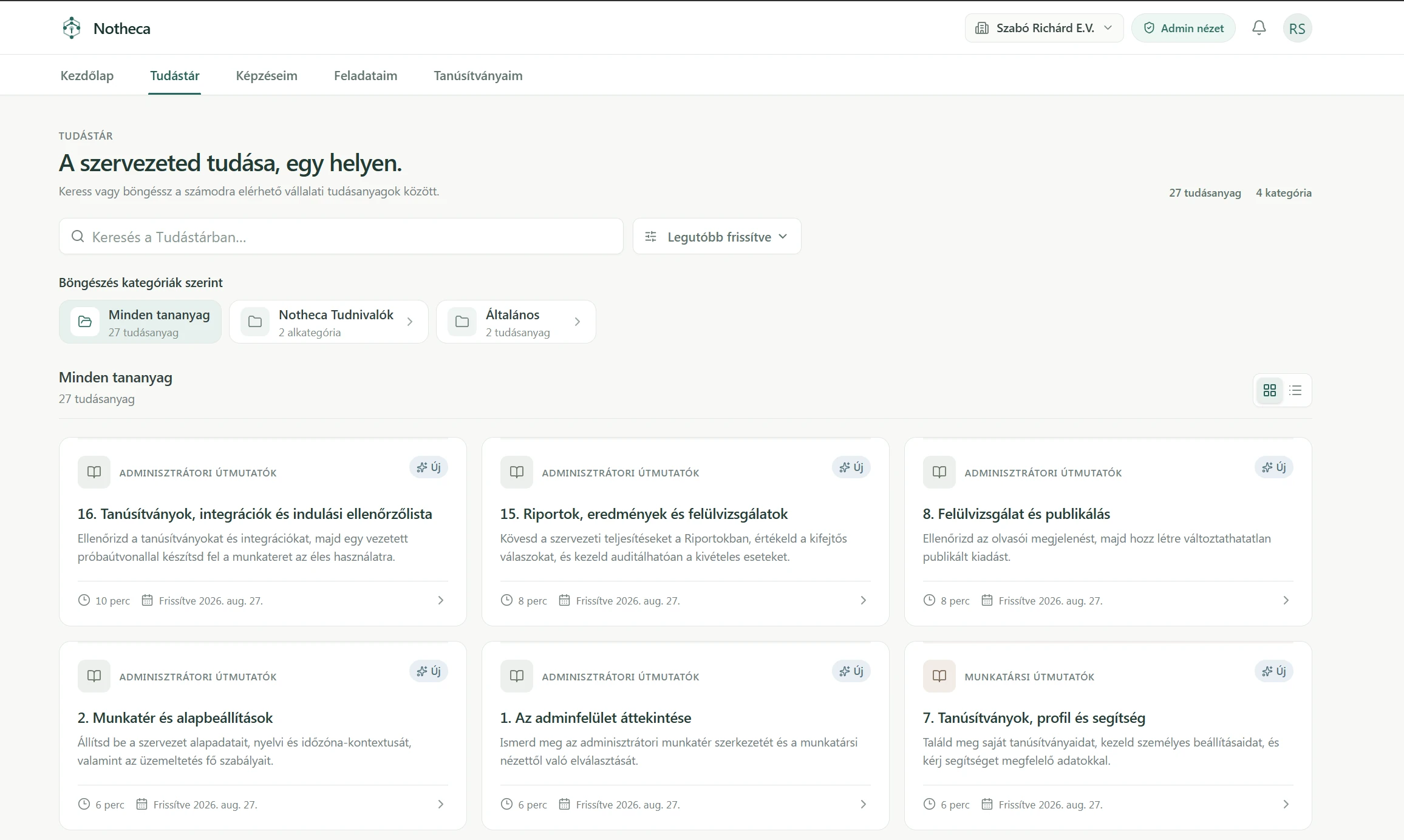
One place for the knowledge that matters.
A structured library makes company knowledge searchable, categorized and available to employees. Behind it, administrators create, review and publish the materials that will become part of training.
Scroll to explore / Open for full detail ↗
03 / Authoring
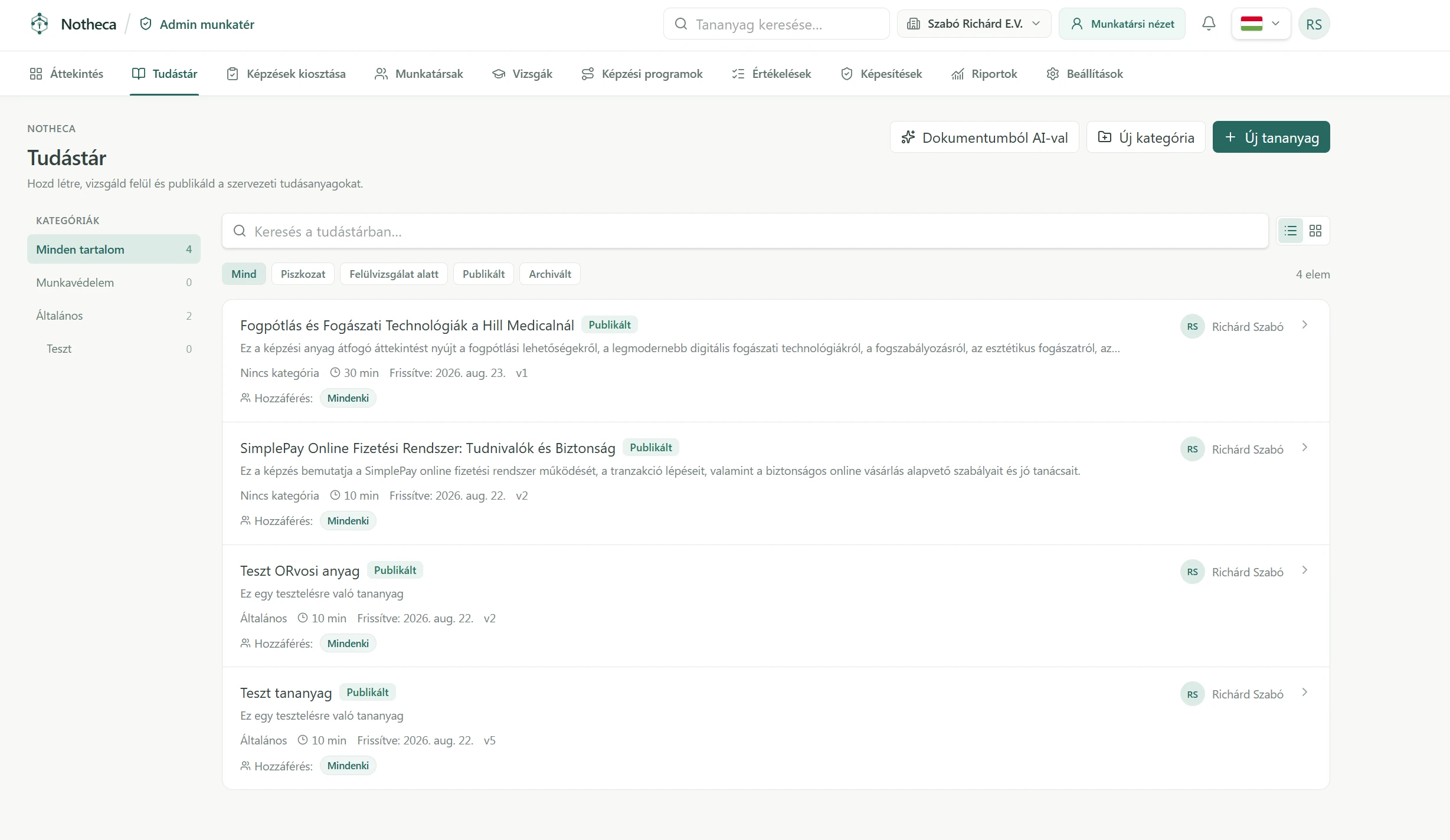
Start from the material the company already has.
AI-assisted authoring helps turn existing documents into structured learning content. It reduces repetitive work and gives administrators a starting point to review and refine. Subject-matter experts remain part of the process.
Scroll to explore / Open for full detail ↗
04 / Training programs
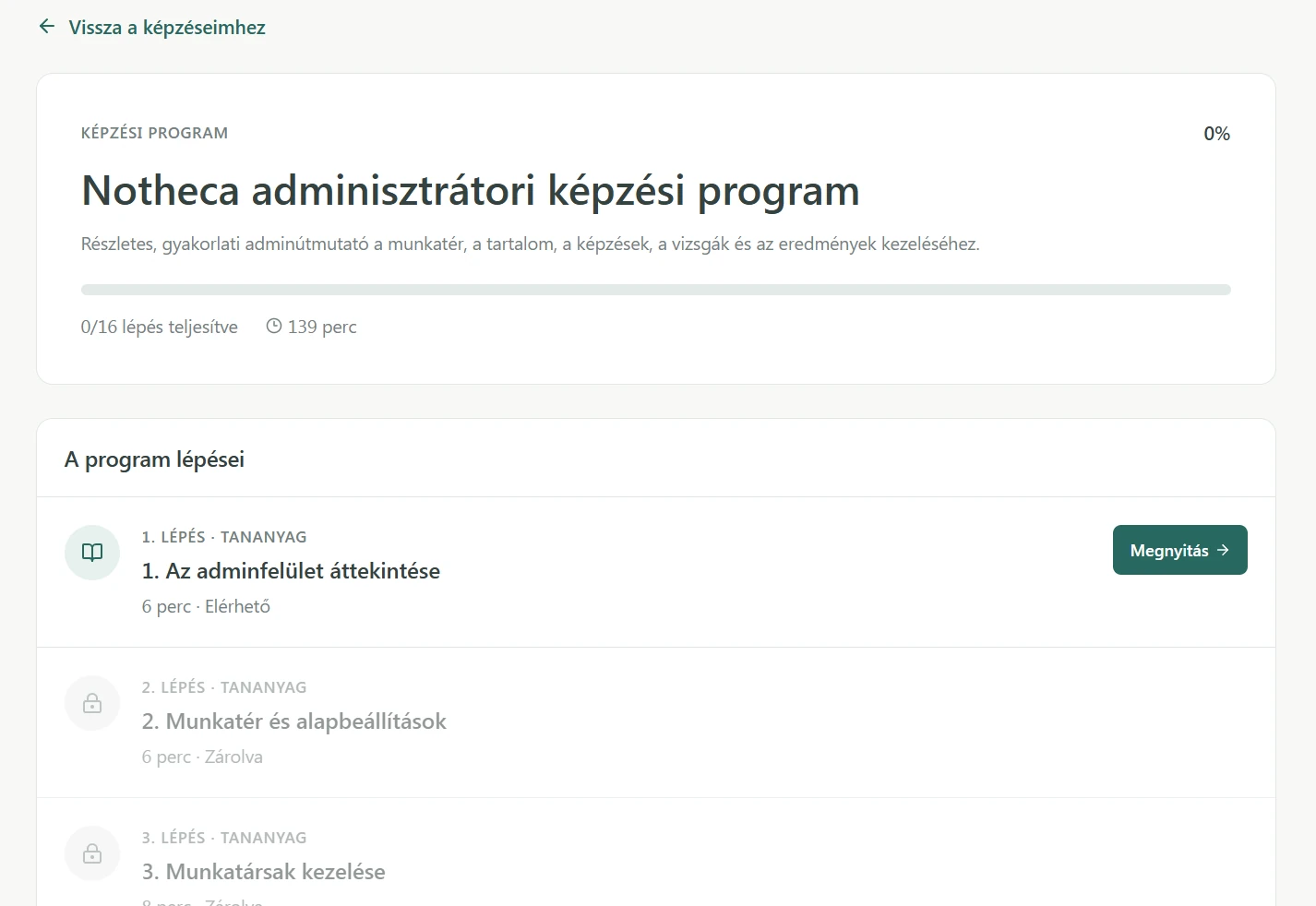
Knowledge becomes a guided path.
Individual materials become a sequence with a clear next step. Progress stays visible, and later steps can remain locked until the required earlier learning is complete.
- 01 / Available Start with the foundation
- 02 / Locked until complete Build on what came before
- 03 / Progress Know what comes next
Scroll to explore / Open for full detail ↗
05 / Employee experience
Show people what matters next.
Employees see their next task, learning in progress and completed work. Their certificates and qualifications remain close at hand, without needing to understand the administration behind them.
06 / Mobile
Learning shouldn’t require a desk.
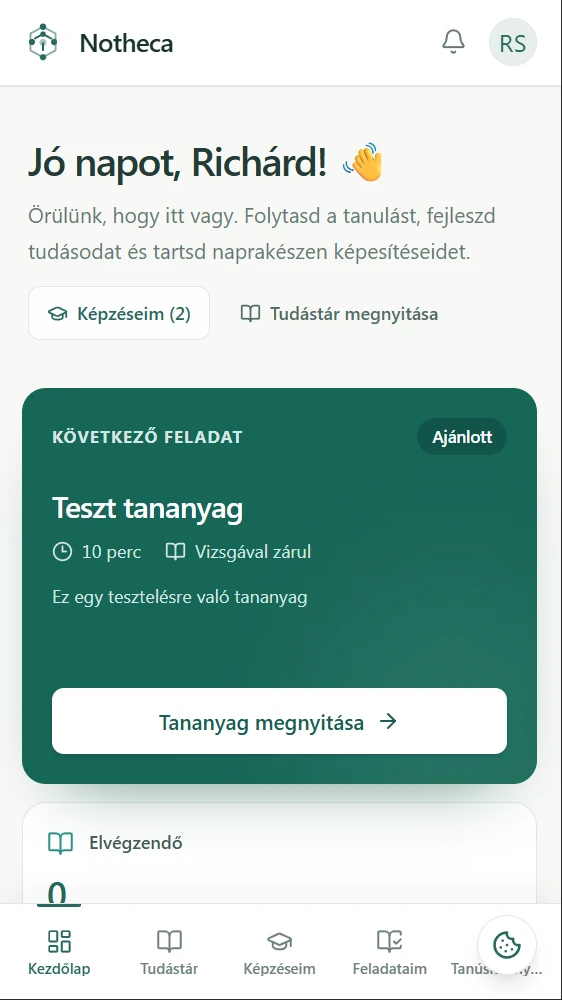
The same personal focus carries through to mobile. Upcoming learning, active tasks and personal progress can be checked away from a desktop.
07 / Exams
Completion is useful. Understanding matters more.
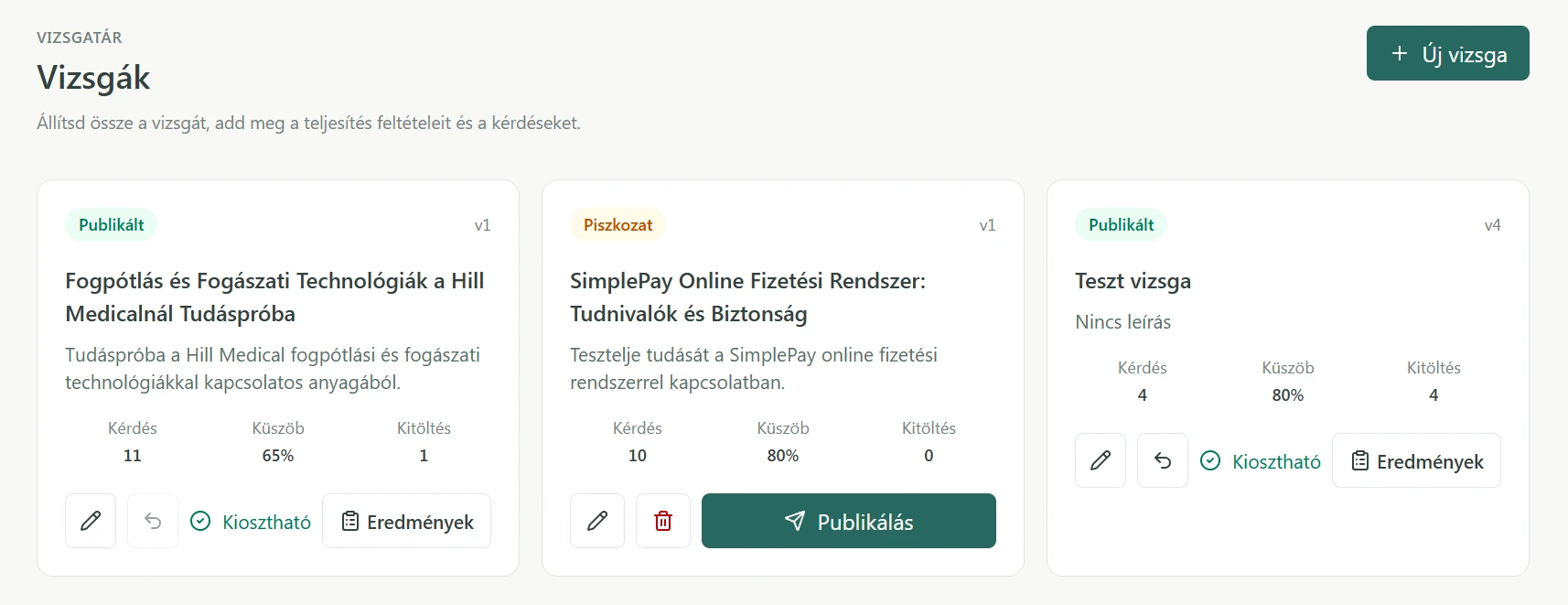
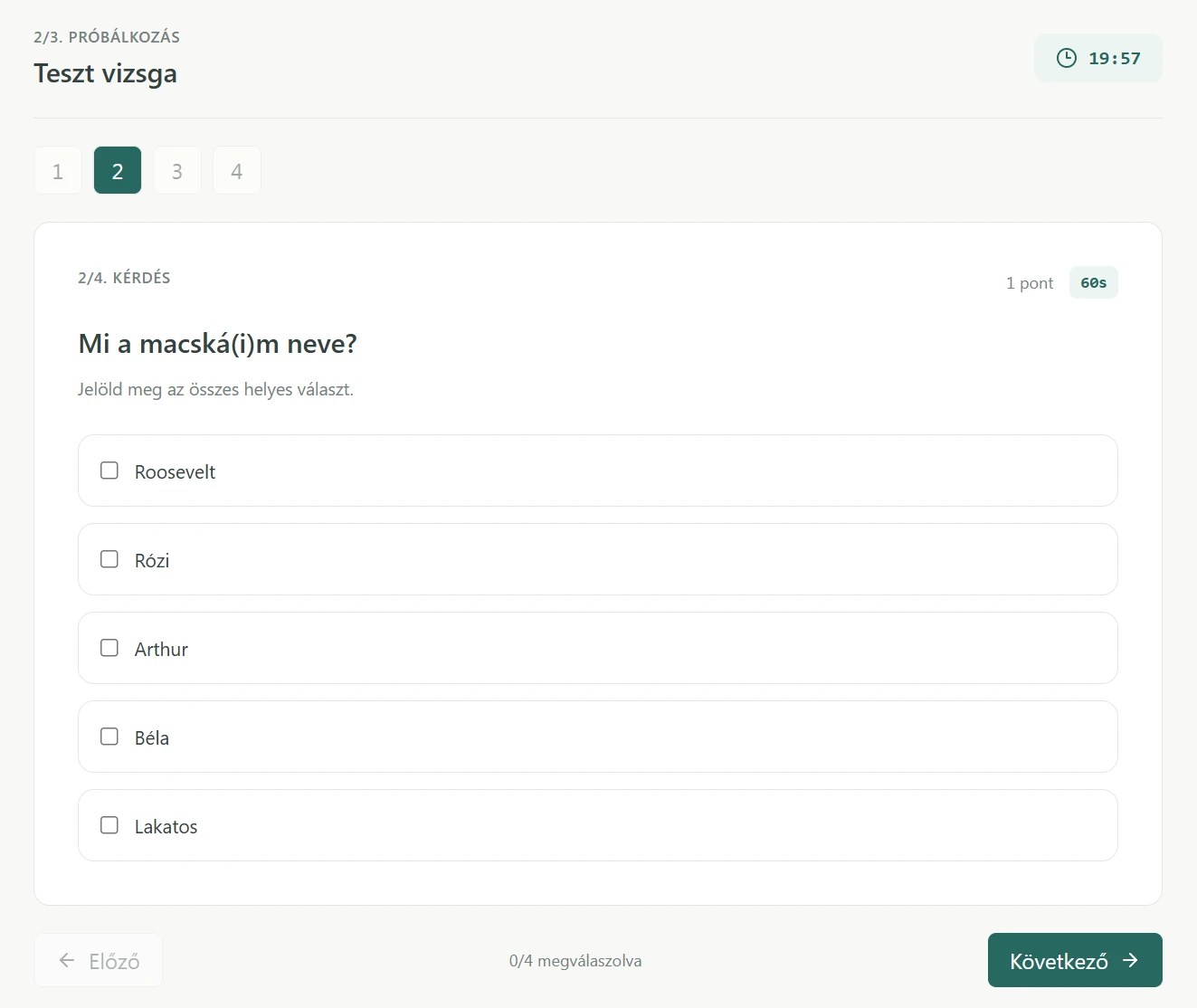
Exams connect learning with assessment. Administrators prepare questions and scoring rules, then publish the exam. Employees get a focused attempt with question navigation, timing and clear progress.
Scroll to explore / Open for full detail ↗
Prepare & publish
Scroll to explore / Open for full detail ↗
Scroll to explore / Open for full detail ↗
08 / Certificates
Completion that can be verified.
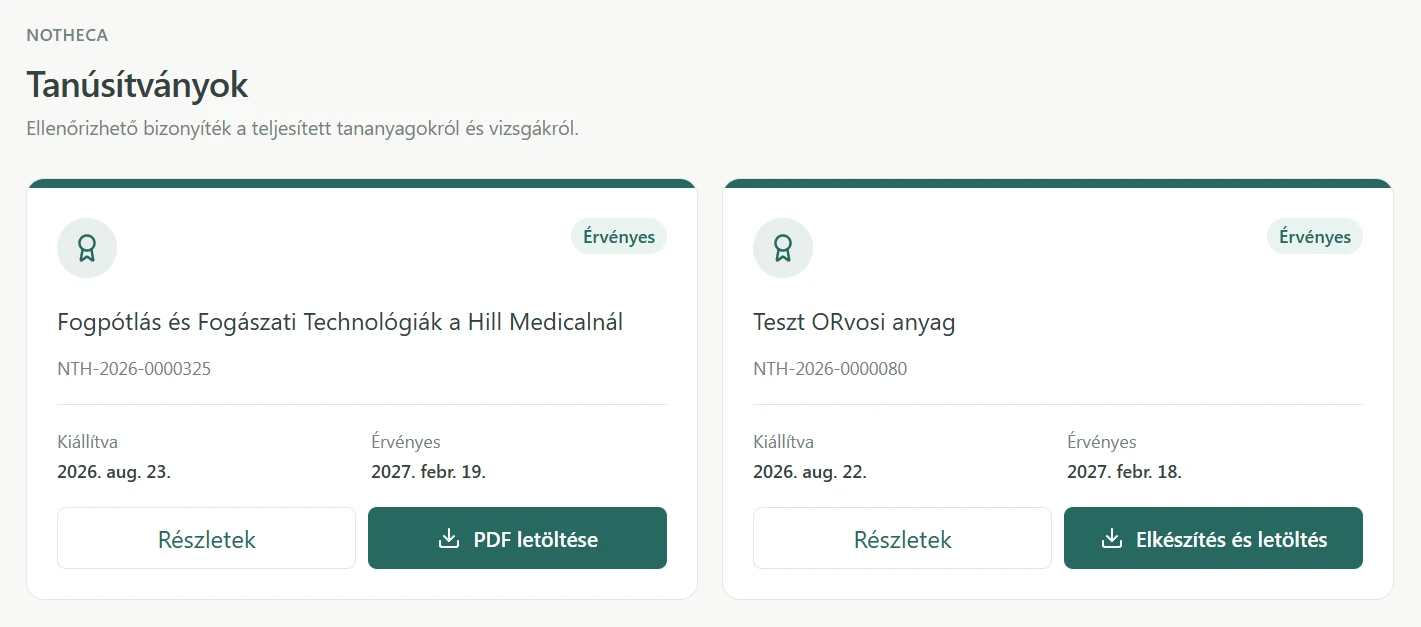
Successful training and assessment can result in a certificate. Identifiable records, issue dates and validity information remain available to the employee, with PDF generation or download when required.
09 / Qualifications
Track what people are qualified to do.
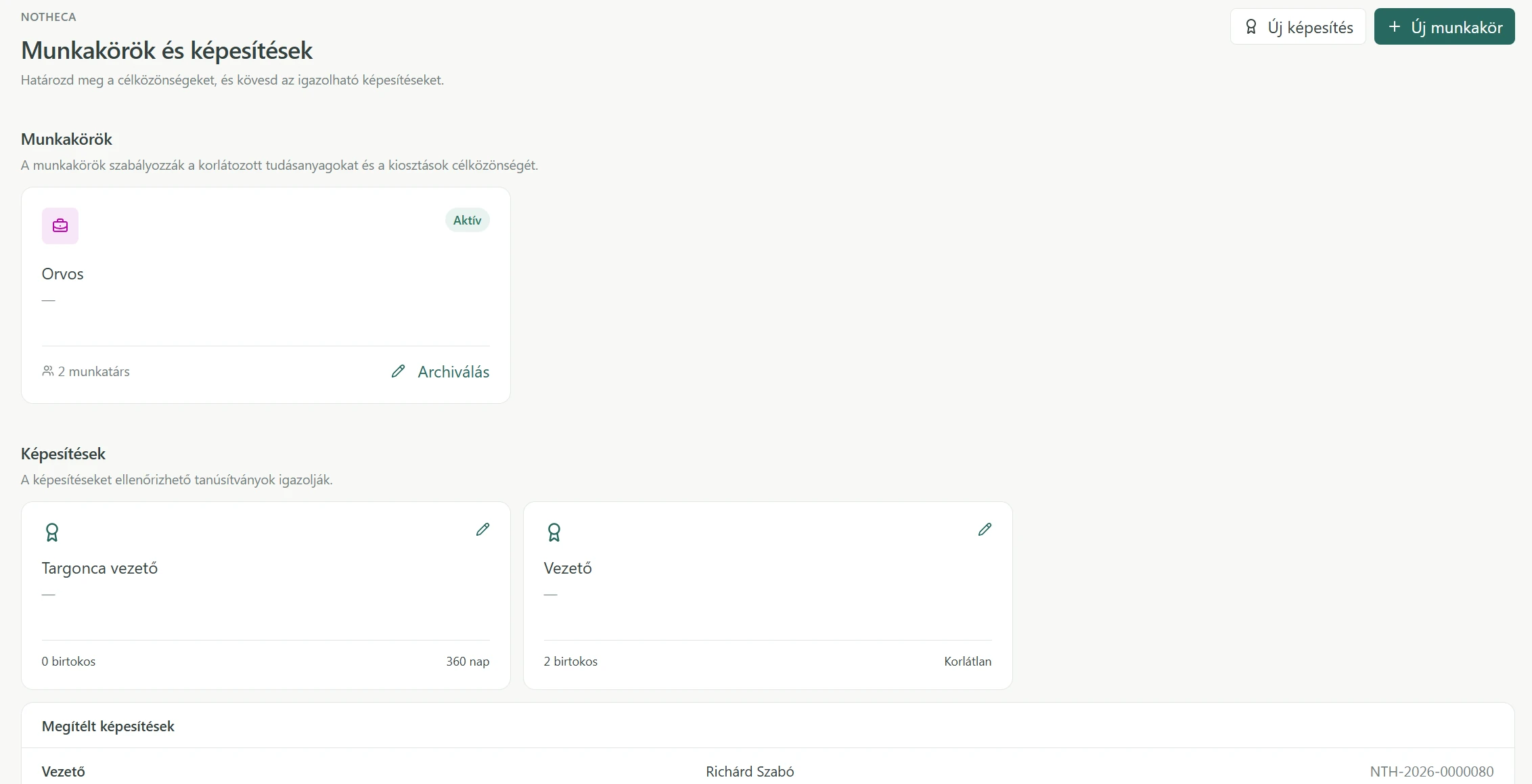
Job roles help define who needs particular learning. Qualifications record what an employee has achieved. A qualification can have a defined validity period or remain valid indefinitely, making upcoming expirations visible.
- Job role
- Who needs the learning?
- Qualification
- What has this person achieved?
Scroll to explore / Open for full detail ↗
10 / Verification
From learning to evidence.
A company can follow the whole process: what was assigned, what was completed, whether an exam was passed and which certificate or qualification was awarded.
- 01
Company knowledge
Documents / Existing material
- 02
Knowledge base
Structure / Review / Publish
- 03
Training program
Materials in an intentional sequence
- 04
Assignment
The right learning for the right people
- 05
Employee learning
A clear next step / Visible progress
- 06
Exam
Verify understanding
- 07
Certificate
A record of completion
Qualification
Valid / Expiring / Expired
- 08
Reporting
Results / Expirations / Attention needed
11 / Organization
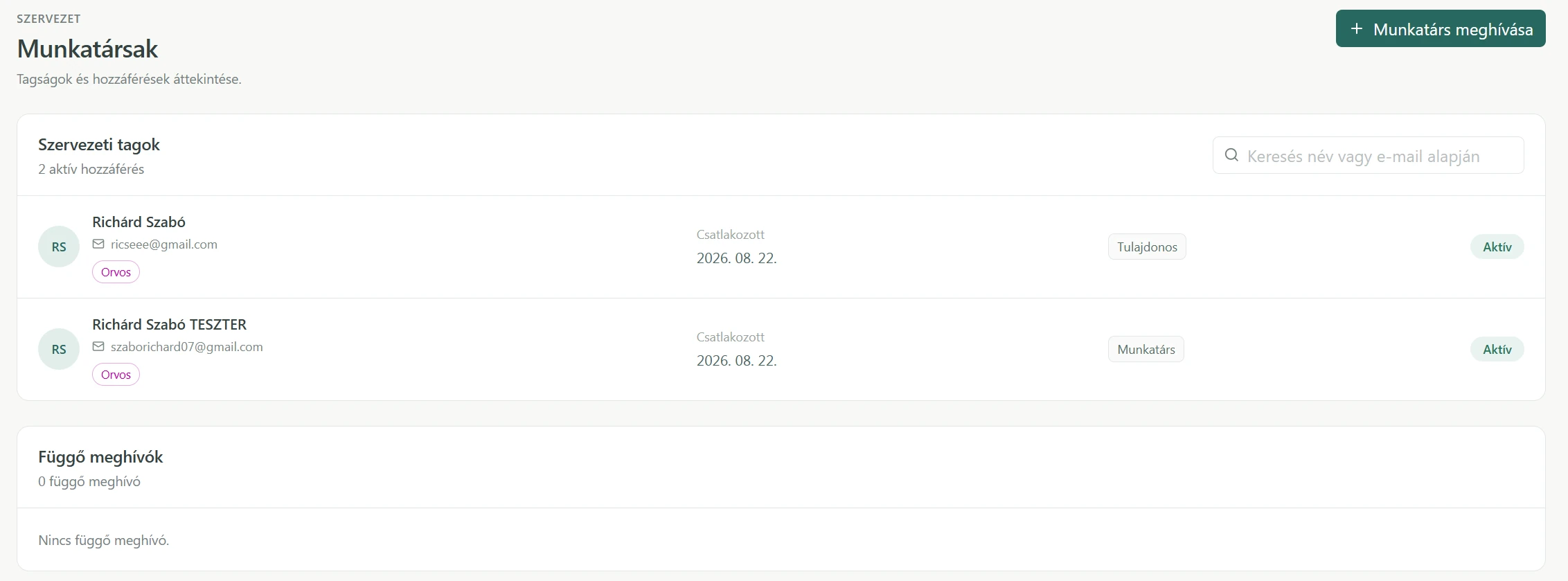
Learning belongs to real people and roles.
Administrators invite employees and manage organizational access. Learning, assignments and qualifications connect to the people who need them.
Scroll to explore / Open for full detail ↗
12 / Two perspectives
One system. Two very different needs.
Employees need a simple, personal view of what to learn next. Administrators need visibility across people, programs, exams and results. The two workspaces give each audience its own focus.
13 / Reporting
Know where learning needs attention.
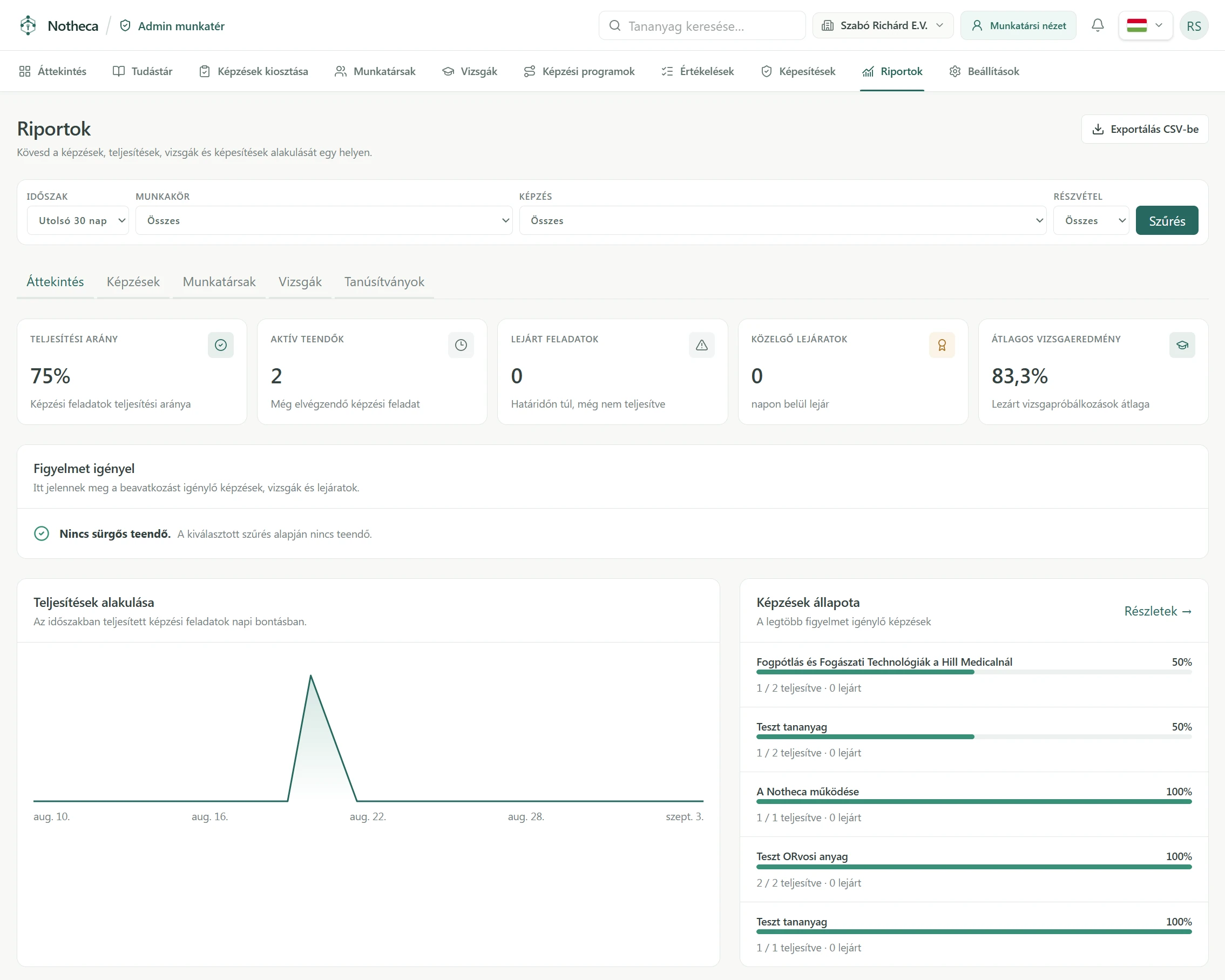
Reports bring completion, active tasks, overdue work, upcoming expirations and exam results into view. Managers can filter the picture, follow training status over time and export it as CSV.
Scroll to explore / Open for full detail ↗
Illustrative test records / Screen values are not project outcome metrics
14 / Management
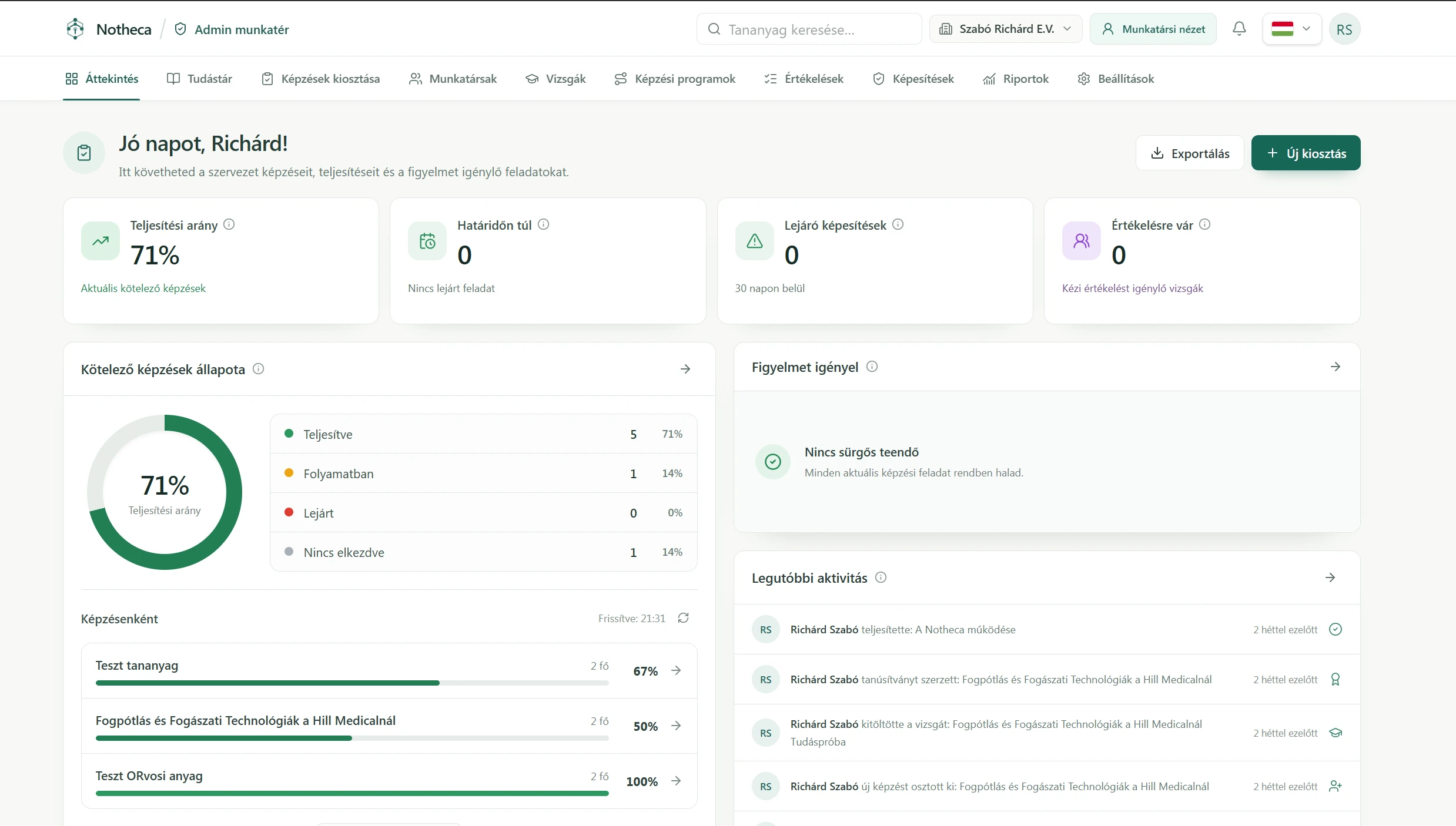
A clearer view of organizational learning.
The administrator overview brings progress, current priorities and recent activity together, so managers can see where to look without opening every individual training record.
Scroll to explore / Open for full detail ↗
15 / Assignment
The right learning for the right people.
Company knowledge becomes useful when it reaches the employees who need it. Training can be assigned according to organizational needs, then followed through learning, assessment and reporting in the same system.
Notheca / Knowledge in use
Knowledge shouldn’t stop at storage.
A material can become a learning path. A path can be assigned. Understanding can be tested. Completion can become a certificate or qualification. Managers can then see what has happened—and what still needs attention.